Top 3 Best iPhone Data Recovery Software: Recover Data Without Backup
Deleted the wrong album or lost your texts after an iOS update and iCloud Backup was never on? Yeah, that sinking feeling is real. But don't give up hope yet. A deleted file doesn't vanish from your iPhone right away. It stays in storage until new data overwrites it. Data recovery software for iPhone can often get it back, as long as you act fast.
We tested three popular iPhone data recovery tools side by side: Stellar Data Recovery for iPhone, FoneLab iPhone Data Recovery and Tenorshare UltData. Below, you'll see what each one recovers, what the free version really gives you, and what it costs.
Can You Really Recover iPhone Data Without a Backup?
Yes, almost every time you can recover data from iPhone without backup. Deleting a file only marks its space as "free," and the file stays there until something new takes that spot. Texts, contacts, notes and call logs live in small databases where deleted bits often hang around, so these come back more often.
Photos and videos are tougher. Your iPhone encrypts its storage, and once a photo leaves Recently Deleted, that space gets reused fast. Every new photo, app or update after the loss lowers your chances.
Top 3 Best iPhone Data Recovery Software
1. Stellar Data Recovery for iPhone (Best Overall)
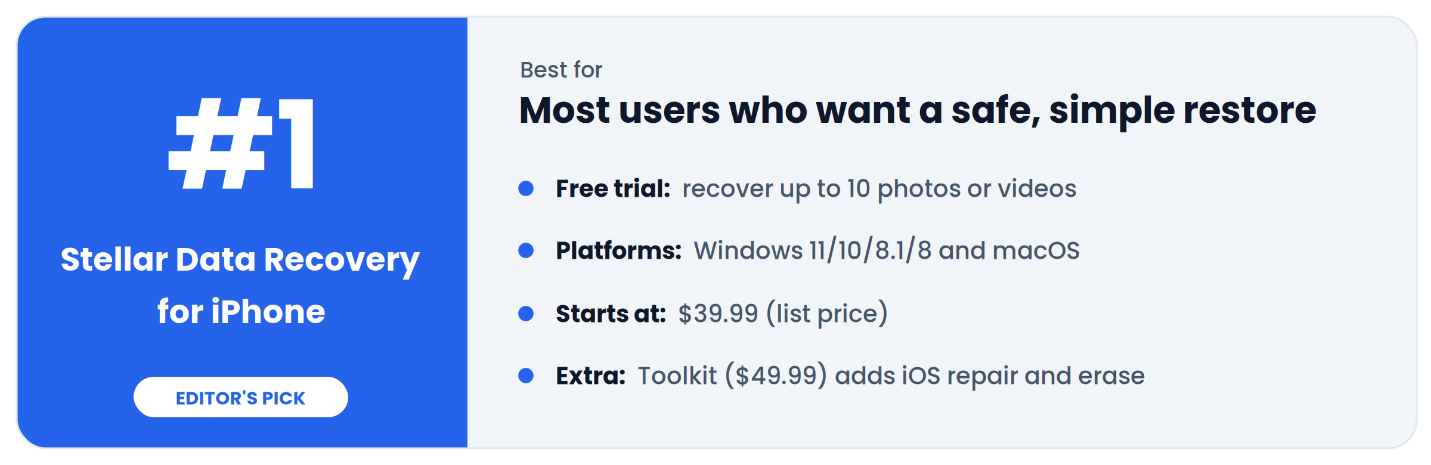
Stellar Data Recovery for iPhone comes from Stellar, a company that has been in the data recovery business since 1993. It brings back photos, videos, messages, contacts, calendars and more. You can scan the iPhone directly or point it at an iTunes or Finder backup on your computer. The free version is what stood out to us. Most recovery apps scan and preview your lost files, then lock the Save button until you pay. Stellar lets you save up to 10 photos or videos for free. That's a real test of whether it works on your phone, and if you only lost a handful of pictures, you may not have to pay at all.
This software has 2 scanning mode: Normal scan & Deep scan. If the first scan misses something, Deep Scan searches again by file signature. Deep scan might take longer time in comparison with normal scan because it read the device by file signature. Stellar clearly mention that this tool is read-only and never writes to your iPhone, and you don't need to jailbreak the phone or install iTunes.
It supports iPhone 18 and older models running iOS 27 or earlier, and it runs on Windows 11, 10, 8.1 and 8 as well as Intel and Apple silicon Macs. The Standard edition costs $39.99 a year. The Toolkit edition, at $49.99 a year, adds iOS repair, a data eraser and Apple ID removal.
Pick it if: your phone works, there's no backup, and you want the safest first try.
2. FoneLab iPhone Data Recovery (Best for iCloud Backups)
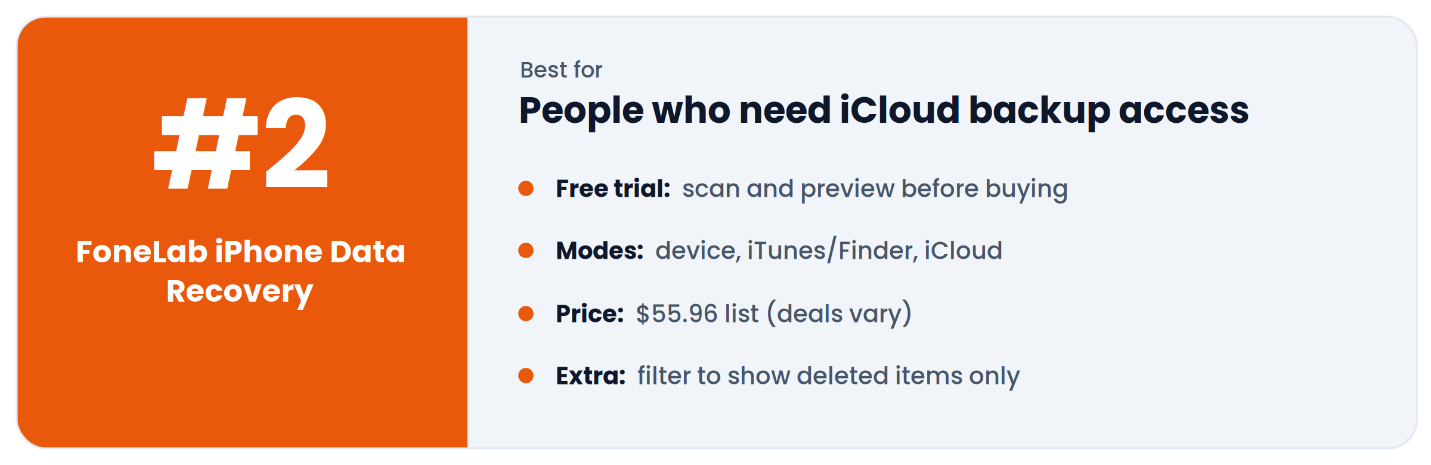
FoneLab packs three recovery modes into one app. It can scan the iPhone directly, read a computer backup made with iTunes, Finder or the Apple Devices app, or sign in and pull files from an iCloud backup. That last one is the big deal. Phone stolen? Dropped in the pool? If iCloud Backup was on, FoneLab can recover files from it, with no full restore needed.
It recovers photos, messages, contacts, call history, notes, voicemail, voice memos and Safari data, along with chats from WhatsApp, WeChat, Viber, Line, Kik, Messenger and QQ. A "show deleted only" toggle hides the files you still have, and filters let you sort by type or search by keyword. You can preview everything before recovering it, and your current phone data stays as it is.
Its spec sheet lists iOS 5 up to iOS 26 and iPhone 17 and older, along with Windows 10 and older and Mac OS X 10.7 and later. The list price is $55.96 for Windows or Mac.
Pick it if: your phone is lost or dead, but iCloud Backup was on.
3. Tenorshare UltData (Best for Social App Recovery)
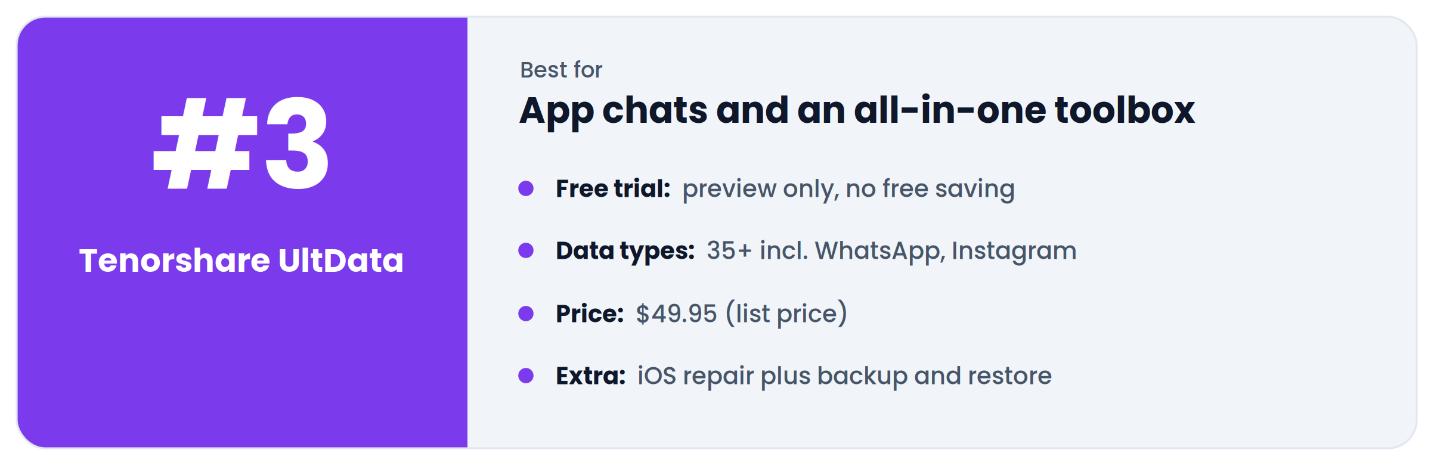
UltData recovers photos, videos, texts, contacts, notes, call history, voicemail, voice memos, calendars, reminders and Safari history. Chat support is where it pulls ahead, covering WhatsApp, Instagram, Kik, LINE, Messenger, Viber, WeChat and KakaoTalk. It can also restore just the items you pick from an iCloud backup without resetting your phone, and its iOS repair tool fixes problems like a phone stuck on the Apple logo.
It supports iPhone 18 and older on every iOS version up to 27, Windows 11 down to Windows 7, and macOS 10.10 to macOS 27. The list price is $49.95 for Windows or Mac, and each plan covers one PC and five phones.
Pick it if: you need chats from lots of apps, or you want repair tools too.
Quick Comparison Table
Prices are list prices from each official site (October 2026). They change often.
Feature
| Stellar Data Recovery for iPhone
| FoneLab iPhone Data Recovery
| Tenorshare UltData
|
|---|
Best for
| Most users, safe first try
| iCloud backup recovery
| Social app chats + extras
|
Scan iPhone directly
| Yes
| Yes
| Yes
|
iTunes / Finder backup
| Yes (incl. encrypted)
| Yes
| Yes
|
What the free version does
| Saves up to 10 photos/videos
| Scan and preview
| Preview only
|
Social apps
| WhatsApp, WeChat, Viber, Line, Kik, Tango
| WhatsApp, WeChat, Viber, Line, Kik, Messenger, QQ
| WhatsApp, Instagram, KakaoTalk, Messenger and more
|
Newest iPhone listed
| iPhone 18 series
| iPhone 17 series
| iPhone 18 series
|
Windows
| 11 / 10 / 8.1 / 8
| 10 and older listed
| 11 / 10 / 8.1 / 8 / 7
|
Mac
| Yes, incl. Apple silicon
| Mac OS X 10.7 and later
| macOS 10.10 to 27
|
List price
| $39.99 per year
| $55.96 (list)
| $49.95 (list)
|
Money-back
| 30 days
| Check store terms
| 30 days
|
How to Recover Deleted iPhone Data Without Backup
Here's how it goes with Stellar. The other two work almost the same way.
- Install it on your PC or Mac. It won't run on the iPhone.
- Plug in your iPhone. Unlock it and tap Trust.
- Click Recover from iPhone. Tick what you want back, like Photos or Messages. Hit Next.
- Wait for the scan. A full phone takes longer.
- Look through the preview. Missing something? Run Deep Scan.
- Select your files, click Save, and pick a folder on your computer.
Tips to Boost Your Chances
The moment you notice the loss, turn on Airplane Mode. It stops apps and syncs from writing new data over what you're trying to save. Hold off on resets and restores too, because either one can wipe what's left.
Scan before you pay, since all three tools offer a free scan, and always save recovered files to your computer, never back to the iPhone. Skip cracked versions. They often hide malware, and they'd see all your phone data. Once you're done, turn on iCloud Backup under Settings ? your name ? iCloud ? iCloud Backup so you're covered next time.
Final Verdict
All three can scan an iPhone directly, so any of them can help when there's no backup. The details are what set them apart. Stellar Data Recovery for iPhone is the best iPhone data recovery software for most people. You can test it by saving real files for free, it leaves your current data alone, and the price is fair. If iCloud is your only backup, FoneLab is the one to get. Whatever you choose, move fast and scan first. And this time, turn on iCloud Backup.
FAQs
Can I recover permanently deleted photos from an iPhone without a backup?
Maybe. If that space hasn't been overwritten, a tool like Stellar may find them. The longer you use the phone, the lower your odds.
Is there any free iPhone data recovery software?
Not fully free, no. Stellar comes closest. Its demo saves up to 10 photos or videos. FoneLab and UltData let you scan and preview, but you pay to save.
Do I need to jailbreak my iPhone?
No. None of these three need it.
Can I recover data from a locked or broken iPhone?
Direct scans need your computer to detect and trust the phone. If that's not possible, use a backup instead. All three can read a local iTunes or Finder backup. FoneLab and UltData can also read iCloud backups.
Will recovery software delete my current data?
No. All three save files to your computer and leave your phone data alone.
What is the best iPhone data recovery software?
For most people, Stellar Data Recovery for iPhone. It's safe, simple, fairly priced, and the free demo saves real files.